Firmware startup
The project skeleton completely repeats the chapter from the cabinet example: PlatformIO, idryer-core in lib/, same platformio.ini (replace only the environment name with filter). Here — only what's different.
The ready-made project of this chapter — example/10-filter in the tutorial repository: it is the source of platformio.ini and of all the code that is broken down piece by piece below. The core library — idryer-core.
Log to the port: two build flags
On ESP32-C3, Serial output goes by default to the UART0 pins, not to the board's USB port — the port monitor stays empty. To see the log, build_flags needs two lines:
Messages from ESP-IDF itself (mDNS errors and the like) go to USB even without them, so "something is printed, but my lines are missing" is a sign of exactly these missing flags.
Config: non-standard device type
The filter has neither a heater nor a climate sensor from the ecosystem vocabulary. From "vocabulary" skills it has only a fan. In src/main.cpp:
#include <iDryer.h>

static const iDryer::Config CFG = {
    .deviceType        = iDryer::DeviceType::Unknown, // non-standard device
    .unitsCount        = 1,
    // Periphery: from the ecosystem vocabulary we have only a fan.
    .hasFan            = true,
    // Auto-publication periods:
    .telemetryPeriodMs = 5000,
    .statusPeriodMs    = 10000,
    // Identification on the portal:
    .hardwareVersion   = "1.0",
    .firmwareVersion   = "0.1.0",
    .model             = "DIY Air Filter",
};

static iDryer::Link s_link(CFG);

void setup() {
    Serial.begin(115200);
    s_link.begin();
    // The portal unlinked the device: erase the secret, wait for a new pairing.
    s_link.onCommand("revoke", [](JsonObjectConst) { s_link.handleRevoke(); });
}

void loop() {
    s_link.loop();
}
DeviceType::Unknown is normal
The Unknown type means "the portal doesn't know of such a product." Previously this was a problem: the portal had no card for an unknown type. Now this is the standard path: the device interface will be fully described by the card manifest (chapter 6), and the portal will build the card from it. The type is needed only for "native" iDryer devices that have branded cards.
The hasFan = true flag gives us for free: the fanStatus field in telemetry, the "Fan" cell on the card, and an entity in the manifest — all from the ecosystem vocabulary.
VOC sensor is not in Config — and should not be
Note: there is no "hasVoc" flag in Config. The vocabulary has* describes periphery that the ecosystem knows about. You will add your own sensor not through the vocabulary, but through two other mechanisms: write its readings into telemetry as your own field, and declare it in the card manifest — these are the next two chapters. This is the whole point of the approach: the vocabulary does not need to be extended for every new device.
First startup and linking
The procedure is the same as for the cabinet:
- Flash the board and open Serial Monitor: until the device has Wi-Fi, the log is silent.
- In the iDryer app: Connect a new device → the Wi-Fi step (network and password, Connect device) → the Pairing step → Pair.
- After Device paired, the device is linked to your account and goes
Onlineon the portal; the log showsMQTT: Connected!.
Details, possible errors and re-pairing — in the chapter of the cabinet example.
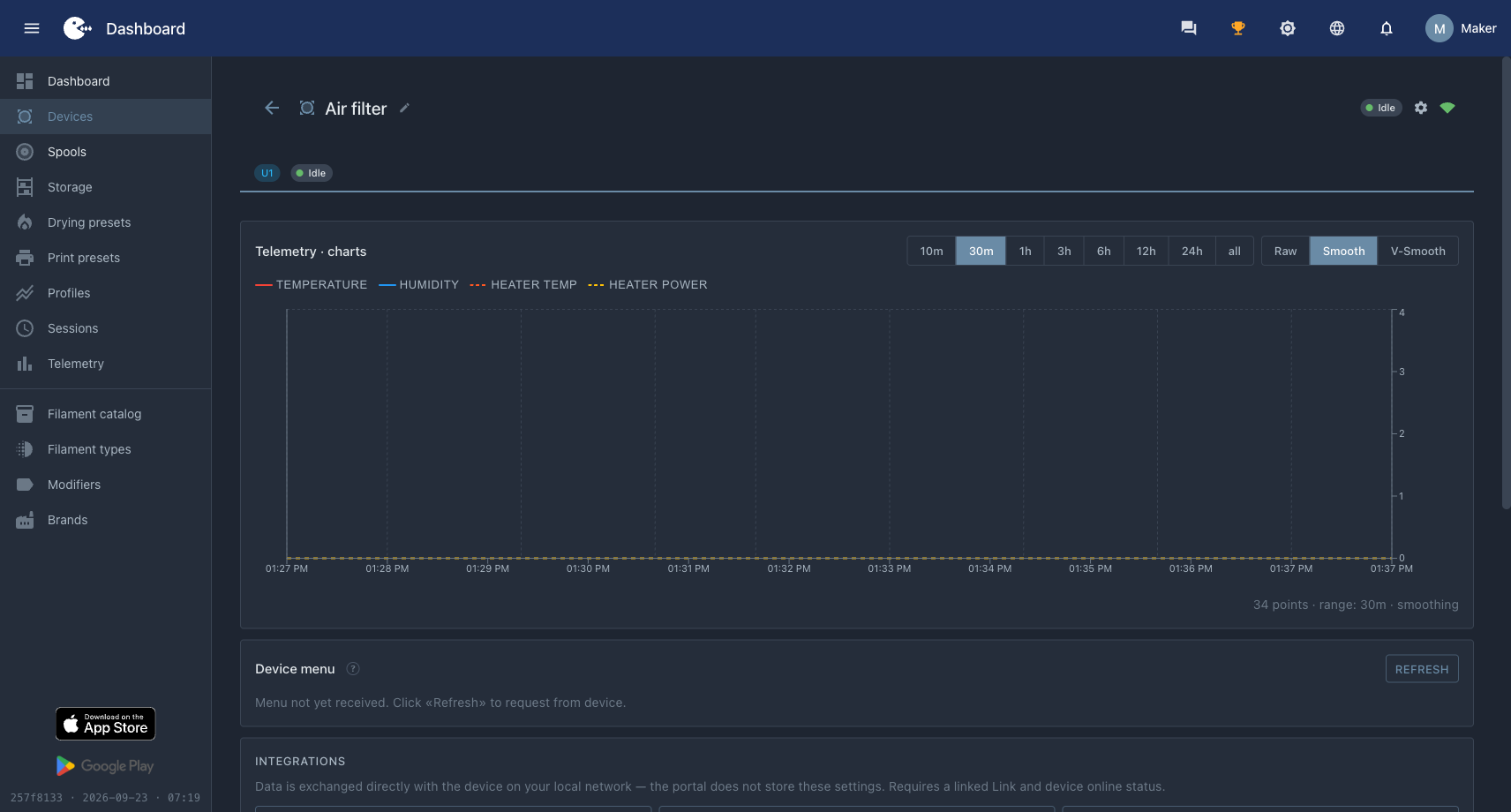 The device on the portal: name, Idle state, connection icon. The chart is empty and no menu has arrived — the device declared nothing about them.
The device is already visible on the portal, but the card is still almost empty — there's no data yet. Let's connect the sensor.