iDryerControllerV2
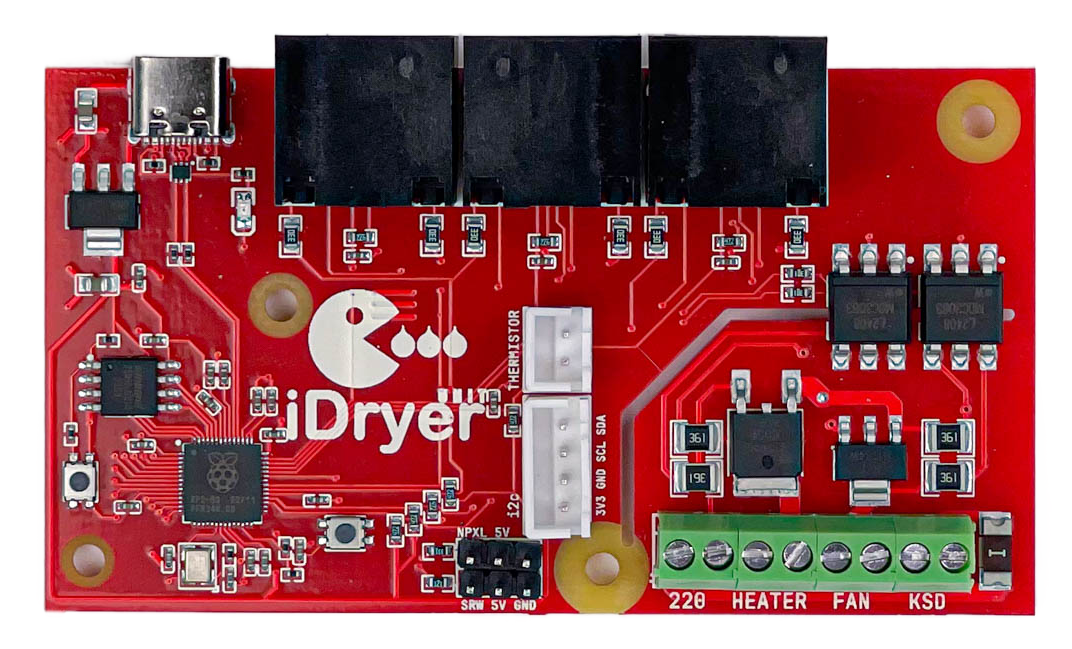
This documentation describes the firmware, connection, and setup of the iDryer controller board.
The project is open to enthusiasts: the firmware can run on RP2040 microcontrollers, and with the required peripherals connected, the controller will be fully functional.
Main Firmware Features
Controls the heater, fan, and servo, and reads temperature, humidity, scale, and RFID reader data. Using ESP32 as an affordable Wi-Fi module (iDryer-Link) extends the controller with telemetry and wireless control. Control can work locally from the app, and when connected to the portal, the device sends telemetry, receives commands, and keeps data history. This data is especially useful for analyzing the drying process and evaluating filament condition.
What's here
This documentation covers:
- Installation and configuration — flashing the controller via WebUSB and port setup
- Hardware connections — wiring diagrams for screen, sensors, and modules
- Operation and control — controller menu description and operation modes
- FAQ — answers to frequent questions about iDryer and iHeater
Quick start
Start by getting familiar with the documentation and move through the menu from top to bottom. First prepare the hardware and make sure you have all required modules, cables, and power. Then perform the initial controller flashing, configure the ports for your setup, and connect the hardware.
The main workflow is now built around the portal: flash the controller, then connect and flash iDryer-Link, then connect it to Wi-Fi, perform Claim, and bind the device to the portal. After that, the dryer can be used through the portal or the app, while the screen remains a convenient service interface for local control and setup.